
Understanding Project Scheduling Tools
Project scheduling tools are essential for planning, managing, and tracking project timelines and resources. These tools provide a framework for organizing tasks, assigning responsibilities, and ensuring that projects are completed on time. By offering a visual representation of the project timeline, these tools help teams to stay aligned and focused on their objectives. The right tool can facilitate communication and collaboration among team members, making it easier to identify potential bottlenecks and adjust plans accordingly.
Choosing a project scheduling tool involves understanding the specific needs of your business. Consider the size of your team, the complexity of your projects, and the level of detail required in your scheduling. Some tools are designed for small teams and simple projects, while others offer robust features for large enterprises with complex workflows. It's important to evaluate the scalability of the tool and its ability to grow with your business.
Key Features to Look For
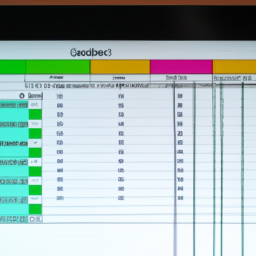
When selecting a project scheduling tool, there are several key features to consider. These include task management, timeline visualization, resource allocation, and reporting capabilities. Task management features allow you to create, assign, and track tasks, ensuring that everyone knows what needs to be done and when. Timeline visualization tools, such as Gantt charts, provide a clear overview of the project schedule, helping you to identify dependencies and potential conflicts.
Resource allocation features enable you to assign resources to tasks and monitor their utilization, ensuring that your team is working efficiently. Reporting capabilities allow you to generate insights into project performance, helping you to identify areas for improvement and make data-driven decisions. Additionally, consider the user interface and ease of use, as a tool that is difficult to navigate may hinder productivity.
Cloud-Based vs. On-Premise Solutions
One of the first decisions you'll need to make is whether to choose a cloud-based or on-premise project scheduling tool. Cloud-based solutions offer several advantages, including accessibility from anywhere with an internet connection, automatic updates, and reduced IT infrastructure costs. These tools are ideal for remote teams and businesses that require flexibility and scalability.
On the other hand, on-premise solutions provide greater control over data security and customization. They are often preferred by organizations with strict data privacy requirements or those that need to integrate the tool with existing on-site systems. When making your decision, consider your organization's security policies, budget, and technical capabilities.
Integration Capabilities
Integration capabilities are an important consideration when choosing a project scheduling tool. The ability to integrate with other software, such as CRM systems, accounting tools, and communication platforms, can streamline workflows and reduce the need for manual data entry. Look for tools that offer robust APIs and pre-built integrations with popular software solutions.
Integration can enhance collaboration by providing a single source of truth for project data, ensuring that everyone has access to the most up-to-date information. It can also improve efficiency by automating routine tasks and reducing the risk of errors. Evaluate the integration options available and consider how they align with your existing technology stack.
Cost vs. Functionality
Cost is a critical factor when selecting a project scheduling tool. It's important to find a balance between functionality and budget. While it may be tempting to choose the tool with the most features, it's essential to ensure that you're not paying for capabilities you don't need. Consider the total cost of ownership, including subscription fees, implementation costs, and ongoing support.
Many tools offer tiered pricing plans, allowing you to choose the level of functionality that best meets your needs. Evaluate the value that each tool provides and consider how it will impact your team's productivity and project outcomes. It's often worth investing in a tool that offers the features you need to achieve your business goals.
Evaluating User Experience
User experience is a crucial factor in the success of a project scheduling tool. A tool that is difficult to use can lead to frustration and decreased productivity. Look for tools with intuitive interfaces, clear navigation, and helpful support resources. Consider conducting a trial or demo to assess the user experience firsthand.
Gather feedback from your team to understand their preferences and pain points. A tool that aligns with your team's workflow and preferences is more likely to be adopted and used effectively. Additionally, consider the availability of training and support resources, as these can help your team to get up to speed quickly and make the most of the tool's features.
Security and Compliance
Security and compliance are critical considerations when selecting a project scheduling tool, especially for organizations that handle sensitive data. Evaluate the security measures in place, such as data encryption, user authentication, and access controls. Ensure that the tool complies with relevant regulations, such as GDPR or HIPAA, if applicable to your industry.
Consider the vendor's track record and reputation for security, as well as their commitment to ongoing security updates and improvements. A secure tool can help to protect your business from data breaches and ensure that your project data remains confidential and secure.
Vendor Support and Community
The level of vendor support and community engagement can significantly impact your experience with a project scheduling tool. Look for vendors that offer comprehensive support options, such as live chat, email support, and knowledge bases. Consider the availability of community forums and user groups, as these can provide valuable insights and tips from other users.
A strong support network can help you to resolve issues quickly and ensure that you're getting the most out of your tool. Additionally, consider the vendor's reputation for customer service and their willingness to listen to feedback and make improvements. A vendor that is committed to customer satisfaction can be a valuable partner in your project management journey.
Case Studies and Success Stories
Reviewing case studies and success stories can provide valuable insights into how a project scheduling tool has been used effectively by other organizations. Look for examples that are relevant to your industry and business size. These stories can highlight the benefits and challenges of implementing the tool and provide inspiration for how you can achieve similar success.
Consider reaching out to other users or industry peers for recommendations and advice. Learning from the experiences of others can help you to make a more informed decision and avoid potential pitfalls. Additionally, many vendors offer testimonials and case studies on their websites, which can provide further insights into the tool's capabilities and benefits.
Making the Final Decision
After evaluating your options, it's time to make the final decision. Consider creating a shortlist of tools that meet your criteria and conducting a side-by-side comparison. Involve key stakeholders in the decision-making process to ensure that the tool meets the needs of all team members.
Consider conducting a pilot or trial to test the tool in a real-world scenario. This can help you to assess its impact on your team's productivity and identify any potential issues. Ultimately, the right project scheduling tool should enhance your team's ability to plan and execute projects effectively, contributing to the overall success of your business.